
Digital signage for restaurants
Digital signage for restaurants: a practical guide to getting started
Having a screen is only the beginning. This guide explains what you need to turn it into a useful tool, from the basic setup and screen placement to content and publishing your first campaign.
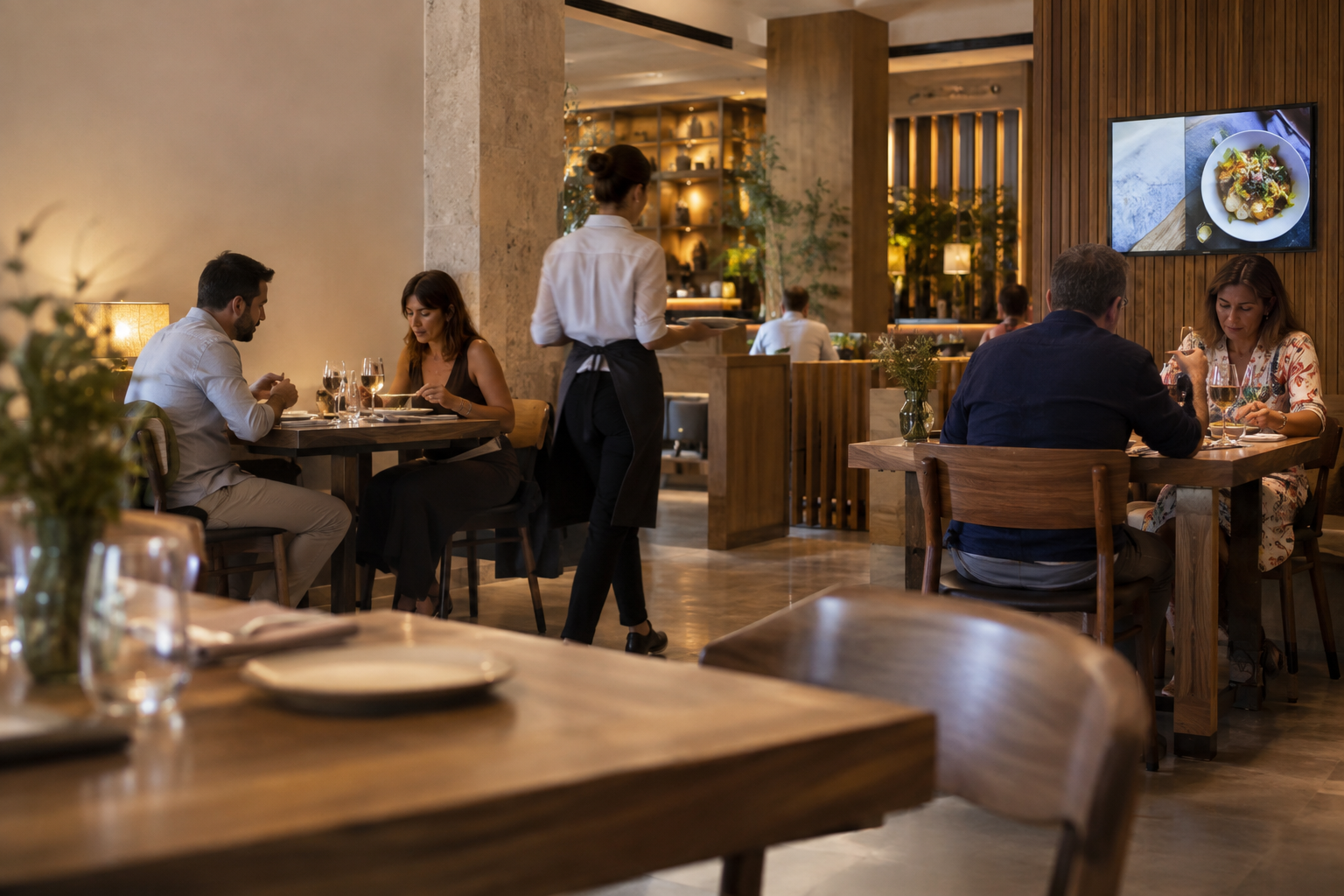
Getting started means more than simply switching on a screen
You may already have a screen in your restaurant, or you may be considering installing one. The first questions often seem technical: what equipment to buy, how to connect it or which software to use. But there is an earlier question worth answering first: what do you want that screen to do? Digital signage for restaurants works best when it starts with a specific need. That might be presenting the menu at a particular point, highlighting a product, announcing something new or showing useful information to customers. The objective determines where the screen should go, what should appear on it and how the content should be organised. So getting started is not about filling a screen with everything the restaurant could possibly say. It is about putting together a simple system and using it to solve one initial communication need. In this guide, we look at the essential components, the role of screen placement, the content worth displaying and how to turn a specific idea — such as highlighting Pulpo a la brasa — into a straightforward first campaign.
What digital signage really means in a restaurant
A television or monitor mounted on a wall does not, by itself, make a digital signage system. The difference lies in using that screen as a communication point whose content can be prepared, managed and published for a specific purpose. In hospitality, that means relating the screen to the moment and place in which the customer receives the message. A screen near the point where customers browse options or decide what to order may serve a different purpose from one in a waiting area. The first might prioritise information that helps customers choose, while the second can devote more space to new items, featured products or other information relevant at that moment. Thinking about it this way helps avoid a common mistake: treating the screen like a printed poster with added light. The value of a digital system also lies in being able to organise what is communicated and adapt the content as the restaurant's needs change.
The basic setup: four things you need to get started
To set up a basic digital signage system for a restaurant, you need to understand four components: the screen, the player, an internet connection and management software. You do not need to become a technical specialist, but it helps to know the role each one plays. The screen is the visible part of the system. Its choice and placement should reflect the space and the distance from which customers will view the content. Before thinking about visual effects, make sure the message can be read comfortably in the restaurant's real operating environment. The player is the component responsible for delivering content to the screen for playback. Customers may never notice it, but it is part of the system that allows digitally managed content to appear where it is meant to. The internet connection links the system to the tools used to manage it. Digital signage software is the environment where content is prepared, organised, managed and published. The overall logic is simple: you prepare the content in the software, manage it for the relevant screen and the system makes it available for playback in the restaurant. Understanding this chain is more useful when starting out than memorising technical specifications without connecting them to a real need.
Where you place the screen determines what it should communicate
There is no single universally correct place for a digital screen. What matters is matching each location to the role the content needs to perform. A screen positioned where customers need to check options should favour messages that are quick to understand and easy to read. In a waiting area, attention works differently, so it may make sense to present new items, useful information or selected products. Elsewhere in the venue, the priority may be wayfinding or communicating something specific about the service. Before installing a screen, observe the customer's actual journey and ask three questions: where will they see it from, how long will they have to understand the message and what decision or need do they have at that moment? Those answers should come before the design. Visually attractive content can fail if it requires too much reading from a distance. And a perfectly installed screen may add little value if it sits somewhere customers do not need the information it shows. Screen placement, then, is not separate from the content decision. It is part of the same editorial choice.
What is worth showing on restaurant screens
Useful content has a clear purpose. In a restaurant, a screen can present menus, highlight products, announce new items, provide relevant customer information or display promotions when they genuinely exist and are appropriate to communicate. Menus and information about the offer are useful when customers need to review their options. Featured products help focus attention on a particular item. New additions give visibility to something that deserves attention for a limited period. Useful information can address specific needs of the venue and the service moment. Promotions are another option, but they should not become the default content for every screen. A campaign can work perfectly well without a discount: simply highlighting a dish such as Pulpo a la brasa already provides a clear objective around which to build a piece of communication. A good test is to describe the purpose of the content in one sentence: 'I want customers to notice this product', 'I want to make this information easier to access' or 'I want to communicate this new addition'. If you cannot explain what the screen is meant to achieve, you probably do not need to design more content yet — you need to define the objective more clearly.
From one screen to your first campaign
Your first campaign does not need to explain the whole restaurant. In fact, trying to do so usually makes the message unnecessarily complicated. To begin, choose one objective and build the content around it. Suppose you want to give Pulpo a la brasa more visibility. One important decision has already been made: the campaign centres on a specific product. You do not need to add a discount, invent sales arguments or include the whole menu to justify the screen. From there, follow a practical sequence. First, define what you want to communicate. Then identify which screen and context it will appear in. Next, decide what information is essential for the message to make sense. Finally, review the result in conditions similar to the restaurant itself: viewing distance, available attention time and the amount of information visible at once. This discipline keeps the first campaign manageable. With one objective, it is much easier to assess whether the content genuinely communicates it.
Practical example: a campaign for Pulpo a la brasa
Let us apply the process to a specific example. The restaurant wants to highlight Pulpo a la brasa on a horizontal screen. The product itself, its grilled preparation and its gastronomic character provide enough material to shape the communication without adding unconfirmed information. The first step is to state the objective simply: give Pulpo a la brasa more visibility. That sentence becomes a filter. If an element on the screen does not help customers identify, understand or engage with the product, it is worth asking whether it is really necessary. The second step is to consider the viewing context. The size of the dish name, the amount of text and the prominence of the image should reflect the available viewing distance and attention time. The screen should not become a detail-heavy product sheet that customers will not have time to read. The third step is to stay within what is actually known. There is no need to invent ingredients, prices, discounts or attributes to complete the piece. A suitable image of the product, its name and a clear visual hierarchy can create a far more credible presentation than a pile-up of messages. The result of this exercise is not a mandatory creative formula for every campaign. It is a way to check that there is a clear path from objective to content, screen and publication.
Common mistakes when getting started with digital screens
One of the most common mistakes is trying to use every centimetre of the screen. Menus, new items, several products and different messages then compete for the same attention. The result can contain a lot of information while communicating very little. Prioritisation is part of the job. Another problem is designing only while looking at a computer monitor. In the restaurant, the content will be viewed from a different distance and for a different length of time. Text that feels comfortable to read while editing can turn out to be too small or too dense once published. It is also worth avoiding content without a purpose. Changing images simply because the screen allows you to do so does not create a communication strategy. Every piece should respond to an identifiable need. A fourth mistake is introducing manual maintenance that could be avoided with a more organised content workflow. If every change becomes an improvised task, keeping screens up to date becomes harder as the amount of content grows. Finally, treating a digital screen exactly like a static poster misses the point of the system. The operational advantage lies in being able to prepare, manage and publish content according to the restaurant's needs, rather than treating every update as an isolated piece.
How to turn your first campaign into a sustainable workflow
Once the first campaign is live, the next step does not have to be adding more screens or producing large volumes of content. It is more useful to turn what you have learned into a repeatable process. You can start with a simple routine: define the objective, select the right screen, prepare only the content you need, check readability and publish. When a campaign needs to change, follow the same steps again instead of starting from scratch without a clear method. It also helps to separate long-term content from temporary content. Some material may address recurring restaurant needs, while other pieces exist to highlight a new item or product for a specific period. Understanding that difference makes it easier to decide what actually needs updating. If you add more screens over time, keep the same logic. They do not all have to show the same content. First identify the role of each location, then decide what should appear there. A sustainable workflow is not measured by the number of pieces published, but by how easily the restaurant can maintain useful, clear content aligned with specific objectives.
The next step: create, manage and publish
Once you know what you want to communicate, where it should appear and what content the screen needs, the software stops being an abstract idea and takes on a clear role in the process. This is where iMediaGO can fit naturally: as a solution for creating, managing and publishing digital signage content. The tool does not replace the initial decision about what the restaurant needs to communicate; it helps carry that decision from content preparation through to publication. For a first experience, keeping the scope small remains a good rule. One screen, one recognisable objective and one simple campaign — such as the Pulpo a la brasa example used here — are enough to start working with a real process. From there, the same method can be repeated as new communication needs arise.
Integrated example of the first campaign
Turn your first objective into a campaign
If you already know what you want to communicate and where it should appear, the next step is to put it into practice. Create, manage and publish your first digital signage campaign with iMediaGO.