Retail
How to Present Products, Prices and Offers on Retail Digital Signage
An effective retail screen does more than show a product and its price. Shoppers need to recognise the item, understand the cost and see the value of the offer at a glance. This guide explores four practical layouts for featured products, discounts, new arrivals and store promotions, with clear design principles you can apply to your own messages.



How to Make Products, Prices and Offers Easy to Understand at a Glance
A retail screen should communicate its main message within a few seconds. If shoppers have to work through competing prices, lengthy conditions and multiple headlines, the offer becomes harder to understand.
Start with a clear visual hierarchy: the product or main benefit first, the price next, and any essential details afterwards. Text size, contrast and spacing should guide the eye naturally from one element to the next.
The right hierarchy depends on the message. A new product may need a strong image and a concise benefit, while a discounted item should make the difference between the previous and current price immediately clear.
If you're still deciding which messages belong on your shop screens, explore these in-store digital signage content ideas. This guide focuses specifically on how to present products, prices and promotions visually.
What Shoppers Should Notice First
Recognisable product
Use a clean product image, a short name and one relevant benefit. Keep decorative elements from competing with the item.
Prominent price
Give the current price enough size and contrast. If the product is discounted, clearly distinguish the previous price from the current one.
Understandable offer
Explain the benefit without vague claims. Include dates, quantities or conditions when they are needed to understand the promotion.
Four Ways to Present Products and Promotions on Screen
Different retail messages call for different visual priorities. These four examples show how to arrange the essential information without overcrowding the screen.
Each layout has one clear purpose: highlight a product, explain a discount, introduce something new or communicate a broader promotion. The aim is to make the message understandable during a brief glance.

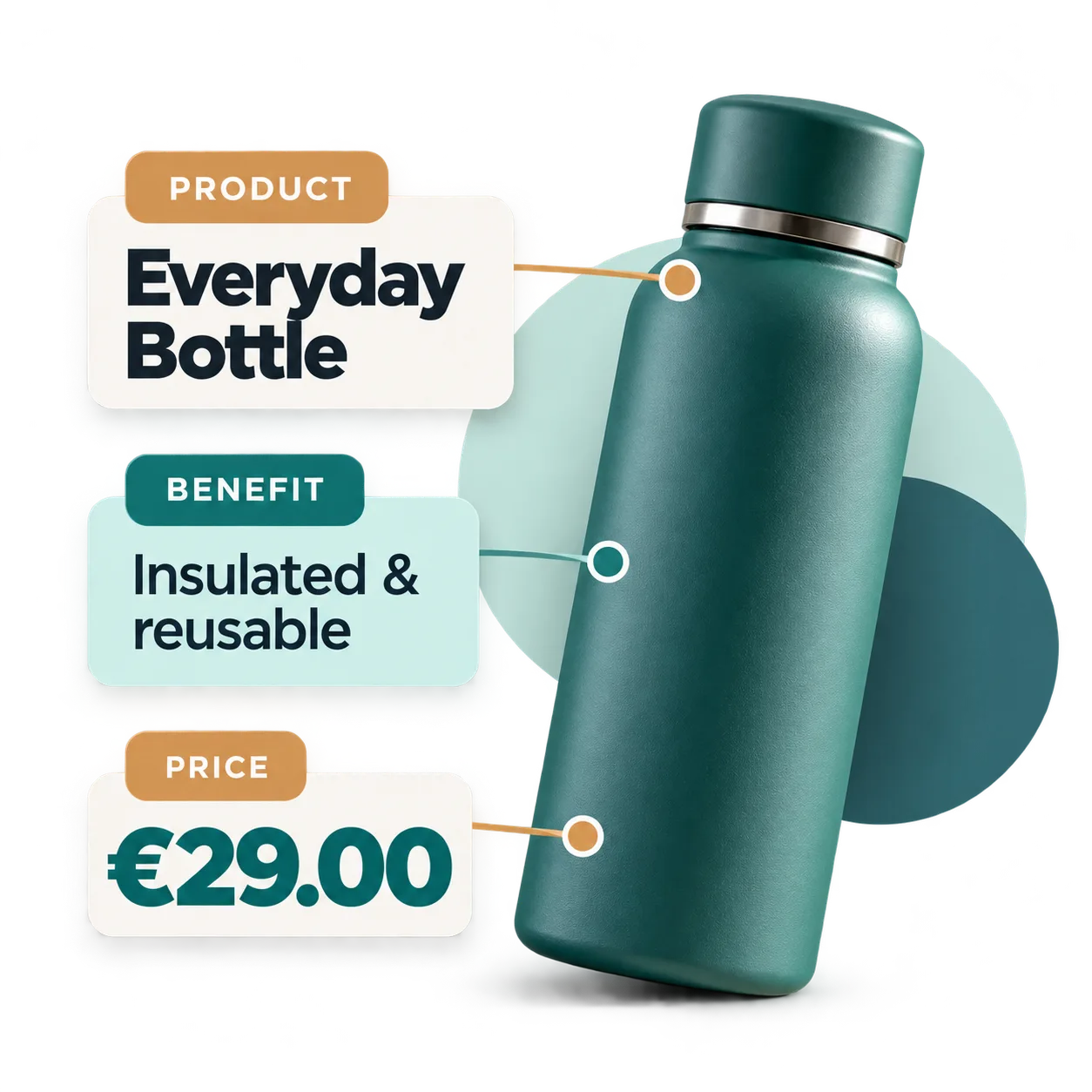
Featured Product: One Image, One Benefit, One Clear Price
When promoting a single item, make the product image the focal point. Use a simple background and a short product name that shoppers can recognise immediately.
Place the price where it is easy to find rather than surrounding it with a long list of specifications. If you include a selling point, choose one specific benefit that helps explain why the product matters.
Every element should support the same message: what the product is and how much it costs.
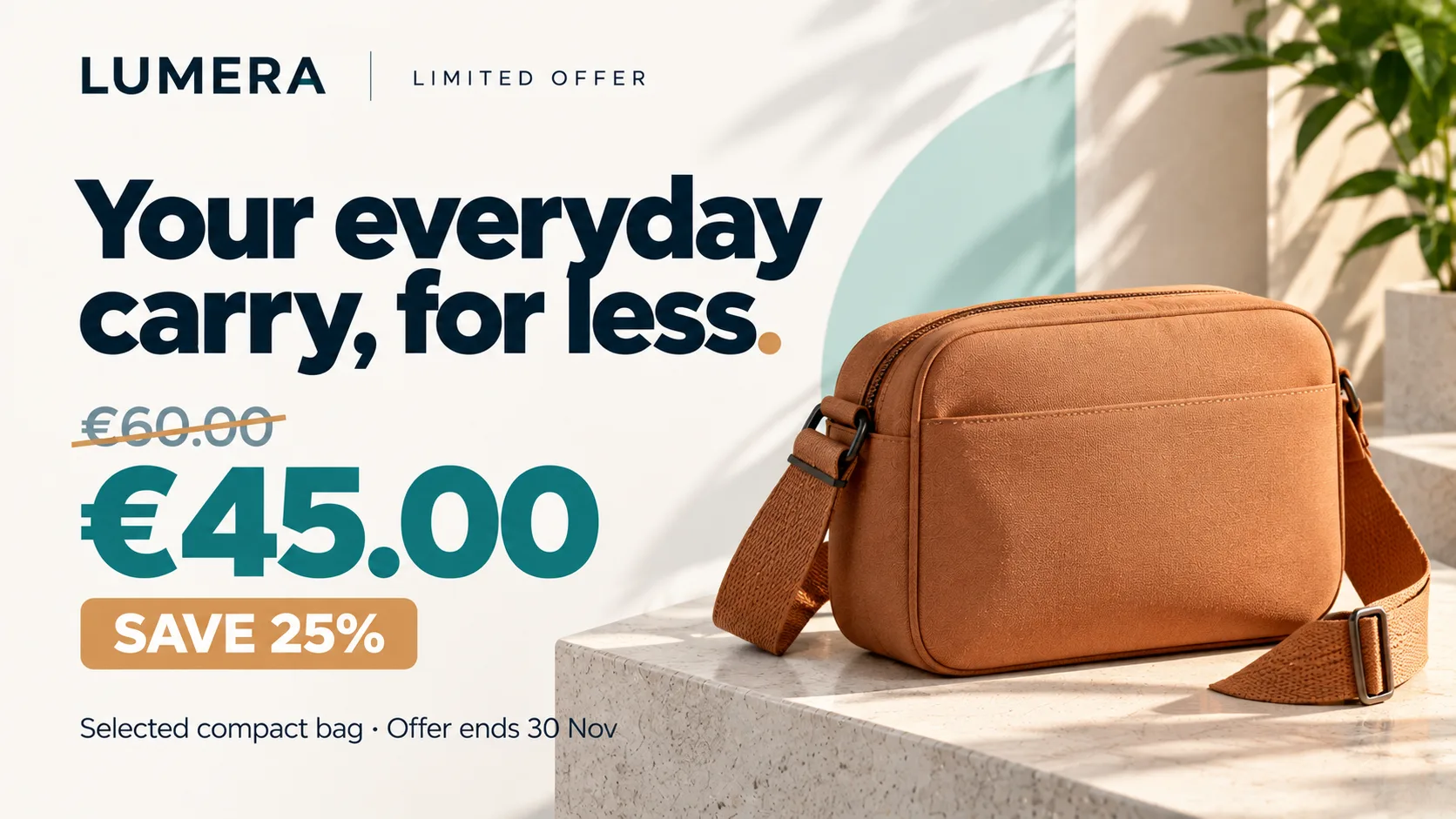
Discount: Make the Original Price, Sale Price and Savings Clear
A discount should be easy to understand without requiring shoppers to calculate the difference themselves. Make the current selling price the main focus and identify the previous price with less visual emphasis.
If you display a percentage discount, check that it matches the prices shown. Avoid placing figures for different products together or using a large discount claim without identifying which item it applies to.
Important conditions, such as an end date or a restricted product selection, should remain readable rather than disappearing into tiny print.

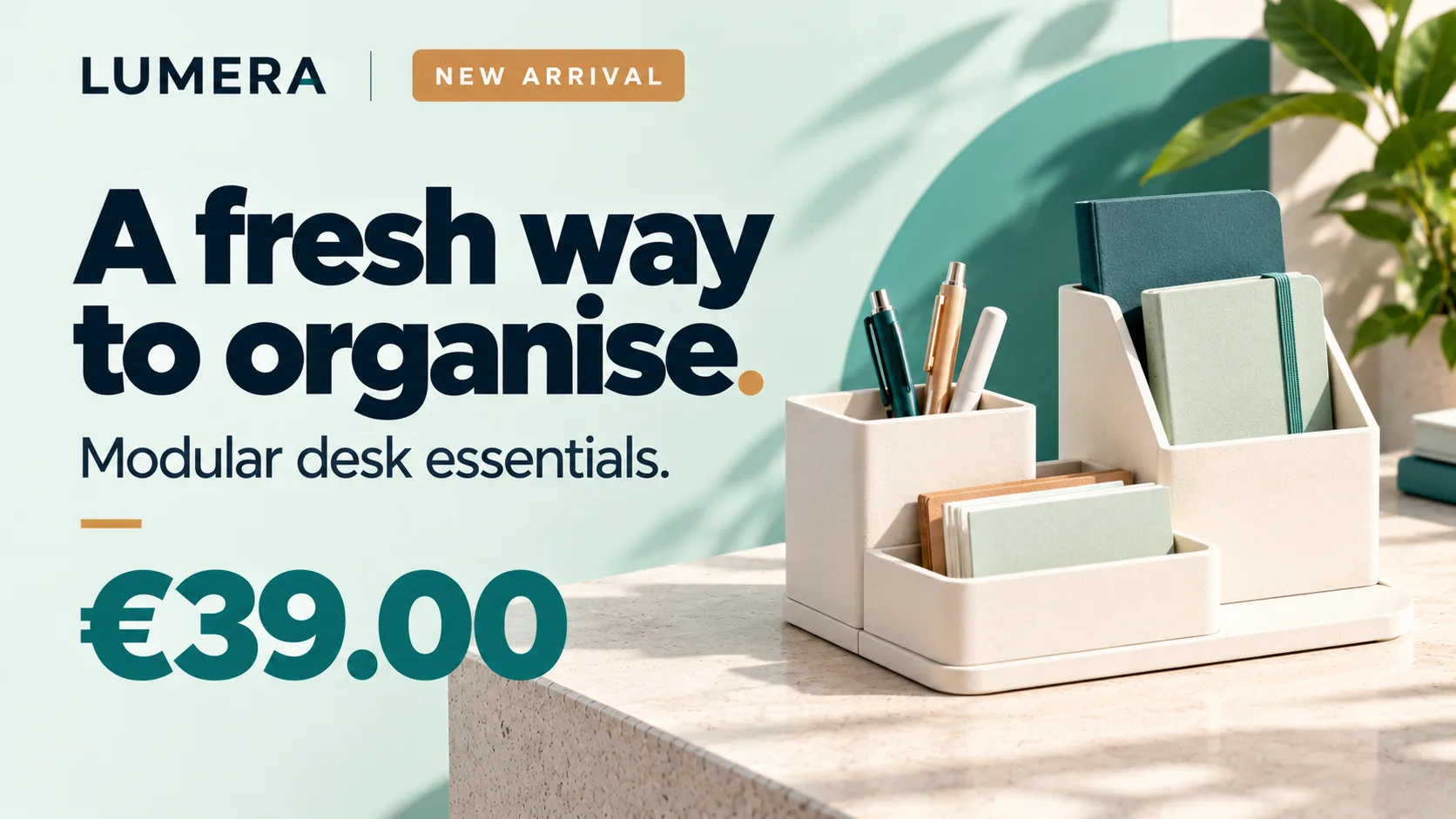
New Arrival: Highlight What's New Without Suggesting a Sale
A new product does not need a discount to attract attention. Its design, distinctive features or arrival in the collection may provide a compelling reason to take a closer look.
Use a short 'New arrival' label, a clear product image and one sentence explaining its appeal. You can include the price, but avoid sale-style graphics when the product is not discounted.
This keeps product launches distinct from limited-time promotions and ensures the visual message reflects the actual offer.
Store Promotion: Make the Scope of the Offer Obvious
When a promotion covers multiple products or an entire category, the main headline should explain what is included and what shoppers can expect.
For example, “Offers on selected accessories” is more precise than announcing a storewide sale when exclusions apply. Support the headline with one or two representative products rather than a crowded list of prices.
Keep the promotion period and essential conditions close to the main message. Shoppers should understand the scope of the offer before examining the details.

How to Make Prices and Discounts Stand Out Without Confusing Shoppers
A large price is not necessarily a clear price. Good presentation depends on how figures, labels and conditions relate to one another.
Before publishing a layout, make sure the main price belongs to the product shown and that any comparison or discount can be interpreted correctly. Commercial information should be readable and should not create a misleading impression.
Five Checks for Clear Price Displays
One primary price
Give the current selling price the strongest emphasis and avoid making several competing figures equally prominent.
Identified comparison
Label any previous price clearly and distinguish it visually from the current price.
Accurate discount
Check that percentages, amounts and savings claims refer to the same product and promotion.
Readable conditions
Show relevant limits, quantities, product selections or dates whenever they affect how the price should be understood.
Distance-friendly design
Test text size, contrast and message clarity from the distance at which shoppers are likely to view the screen.
How to Keep Retail Offers Clear and Current
Even a well-designed promotion can become misleading when a price changes, a discount ends or an important condition is updated. Reviewing the content is therefore part of presenting an offer responsibly.
Before continuing to display a promotion, confirm that its message still matches the current offer in the store.

Review Every Detail Before Displaying an Offer Again
Check the product name and image, current price, advertised discount and applicable conditions. If the offer has an end date, make sure that information is clearly identified and reviewed when necessary.
When one detail changes, review the entire composition. Replacing a price alone is not enough if the savings percentage, headline or conditions are no longer accurate.
Use consistent visual conventions across campaigns. Familiar layouts help shoppers find prices and discounts more easily, even when the featured products change.
Once you've established how your offers should look, explore how to bring these messages to your store screens with a retail digital signage solution.
Common Mistakes That Make Retail Offers Harder to Understand
A promotion can lose impact or create uncertainty when secondary elements compete with the main message. Checking for these common mistakes helps keep each layout focused before publication.
Six Mistakes to Avoid
Too many products
Showing too many items at once leaves less room for shoppers to recognise each product and its price.
Prices without context
A price can be ambiguous when shoppers cannot tell which product, unit or variation it refers to.
Inconsistent discounts
A discount percentage that does not match the displayed prices should be corrected before publication.
Tiny essential text
Important conditions should not be hidden in text that cannot be read at the intended viewing distance.
Weak visual hierarchy
When headlines, prices and secondary messages have equal visual weight, shoppers may struggle to identify the main offer.
Outdated offers
An expired campaign or an incorrect current price undermines the clarity of the commercial message.
Frequently asked questions
Bring Your Retail Promotions to Life on Screen
You now know how to present products, prices and offers clearly. Explore how iMediaGO can help bring this visual communication into your store.
Latest articles
Where to Place Digital Signage Screens in a Leisure Centre
Digital Signage for Auto Repair Shops: What to Show at Reception, in Waiting Areas and at Vehicle Collection

Digital signage in education: clear communication for students and visitors
What to Show on Restaurant Screens: 4 Practical Ideas
How to Design an Easy-to-Read Digital Restaurant Menu
Sunday Family Menu: How to Present an Offer Worth Sharing