Sports Club Marketing
How to plan digital signage campaigns for your sports club
Your club screens can do more than display announcements. Turn classes, events and services into focused digital signage campaigns that encourage members to take action. Learn how to shape clear messages, plan their timing and keep promotions relevant.






Turn screen content into campaigns with a clear goal
Displaying a class timetable keeps members informed. Promoting the remaining places in a specific class is different: you want people to notice an opportunity and take action.
That is what separates everyday screen content from a planned digital signage campaign.
Start with a specific opportunity, such as a new fitness class, an upcoming tournament or a service you want more members to discover.
Then define five essentials: your goal, target audience, key message, call to action and campaign schedule.
For example, promoting a new Pilates class does not require showing the entire weekly timetable. A focused message explaining the benefit, class time and booking process gives members a clearer reason to respond.
Every campaign should have a purpose beyond simply filling screen time.
Still deciding what content to display on your sports club screens? Start with our content guide, then use this article to turn those ideas into focused campaigns.
Four campaigns that give your club screens a purpose
Different campaigns support different club priorities. Some encourage participation, while others promote facilities or introduce additional services.
Here are four ways to connect a clear goal with a meaningful next step.
Bring more members into your classes
Highlight classes with available places and show members when they take place and how to book.
Turn interest into participation
Announce upcoming events, highlight registration deadlines and give members a clear way to sign up.
Show members more of what your club offers
Put one valuable facility or service in the spotlight and explain why members should explore it.
Open up new sales opportunities
Highlight a relevant service or offer with one clear benefit and a simple next step.

Promote fitness classes and encourage more sign-ups
Imagine your club runs a functional training class every Tuesday and Thursday, but several places are still available.
Instead of displaying another general timetable, create a campaign dedicated to that session.
Lead with the reason to join. A message such as “Train together. Reach your goals.” can be supported by the class schedule and a clear invitation to book.
The aim is not to display more information. It is to make the next step obvious.
Keep the campaign running while places remain available and bookings are open. If the timetable changes or the class fills up, update or replace the message.
This approach helps your screens support the activities that need attention, rather than repeating the same promotions regardless of demand.
Plan event campaigns around key dates and deadlines
A tournament needs different messages as the event approaches.
At first, the priority is awareness. Once registration opens, members need practical details and a clear reason to sign up. Near the deadline, a timely reminder becomes more useful.
Consider a padel tournament.
Your campaign might begin with the event announcement, move to registration details and finish with a message such as “Last chance to enter”.
Build your campaign around three stages: announcement, registration and reminder.
At each stage, focus on the essential information: event name, date, location and next action.
When registration closes, replace the sign-up message with updated event information.
This keeps your screens aligned with what members need to know right now.

Put underused facilities and services in the spotlight
Some facilities offer real value but receive less attention than they deserve.
A focused campaign can help members discover a service at the right moment.
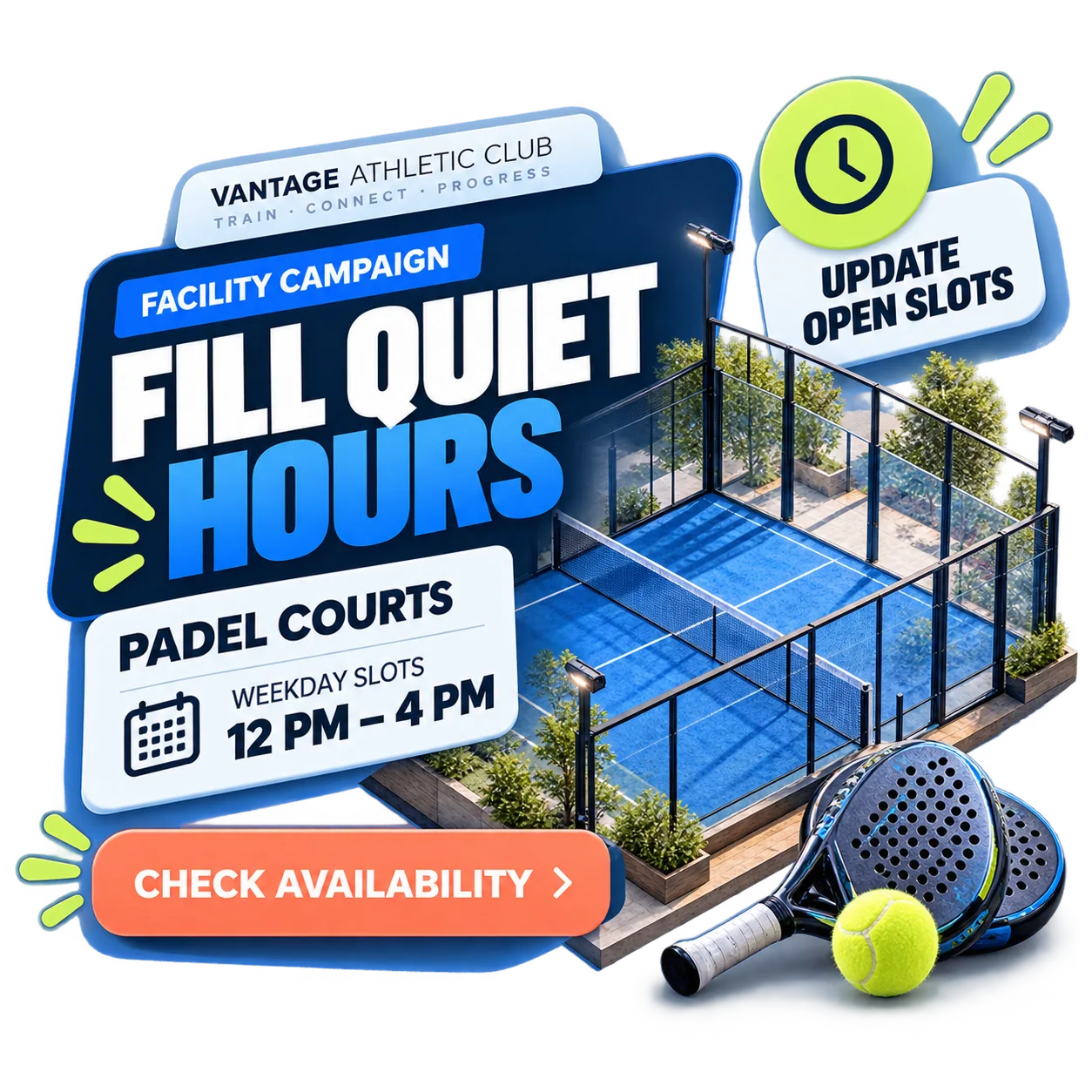
Suppose you want to encourage bookings for a sports court during quieter periods.
Rather than listing every facility in your club, highlight that particular opportunity.
Explain what members can book, when the facility is available and how to enquire or make a booking.
One relevant opportunity is often more persuasive than a long list of facilities.
Change the featured service according to seasonal demand, availability or club priorities.
Your screens can then support the services that matter most at a particular time.
Promote additional services without overwhelming members
Digital signage can support in-club sales without making every screen feel like an advertisement.
Imagine promoting personal training.
Instead of presenting a long price list, focus the campaign on a clear benefit: personalised support for members working towards a fitness goal.
Add a straightforward next step, such as “Ask about personal training at reception”.
Run the promotion for a defined period and balance it with campaigns for classes, events and useful club information.
A focused offer is more useful than a screen crowded with competing promotions.
The result is a commercial message that fits naturally into the member experience.

Three decisions to make before launching a campaign
Strong visuals help, but a campaign also needs a clear purpose and a practical plan.
Know what success looks like
Decide whether the campaign should encourage class bookings, event registrations or enquiries about a service. A specific goal makes it easier to choose the message and assess the response.
Give members one clear next step
Focus on one key idea and support it with a direct action, such as book, register or enquire. Avoid competing calls to action.
Match the campaign to the moment
Decide when the promotion starts, how long it stays relevant and what changes should trigger an update or removal.
Bring multiple campaigns together in one content schedule
Your club may need to promote a class, remind members about a tournament and highlight a service during the same week.
That does not mean every message needs equal attention at every moment.
Give class promotions more visibility while bookings are open. Prioritise tournament reminders as registration deadlines approach. Use other periods to introduce additional services.
A balanced schedule gives each campaign room to communicate clearly.
Review your schedule whenever classes fill up, event registration closes, opening times change or promotions expire.
Planning ahead keeps your communication organised. Reviewing campaigns as circumstances change helps keep messages accurate and relevant.
Turn your campaign ideas into messages your members can see
You have a plan for promoting classes, events and services. Discover how iMediaGO helps you create, publish and update communication across your sports club screens.
Latest articles
Where to Place Digital Signage Screens in a Leisure Centre
Digital Signage for Auto Repair Shops: What to Show at Reception, in Waiting Areas and at Vehicle Collection

Digital signage in education: clear communication for students and visitors
What to Show on Restaurant Screens: 4 Practical Ideas
How to Design an Easy-to-Read Digital Restaurant Menu
Sunday Family Menu: How to Present an Offer Worth Sharing