
Automotive
Digital signage for car dealerships: 8 content ideas for showroom and service area
The value of digital signage in a car dealership is not in installing screens, but in using different content depending on the moment and space of the customer journey. Eight practical uses for showroom, workshop and after-sales.
One dealership, several communication spaces
A dealership is not a single space: it's a journey. The customer goes from the showroom window to the showroom floor, sits with an advisor, visits the workshop or waits in the service area. In each of those moments, communication must adapt.
Digital signage for car dealerships is not about hanging TVs that play generic adverts, but about using each screen to provide the right content at the right place and time. In this article, we review eight specific types of content you can display in your dealership and how to distribute them so that each screen serves a purpose.
What to show on showroom screens
The showroom is the commercial heart of the dealership. The screens should accompany the customer as they discover the models, without overwhelming them. These are the content types that work best:
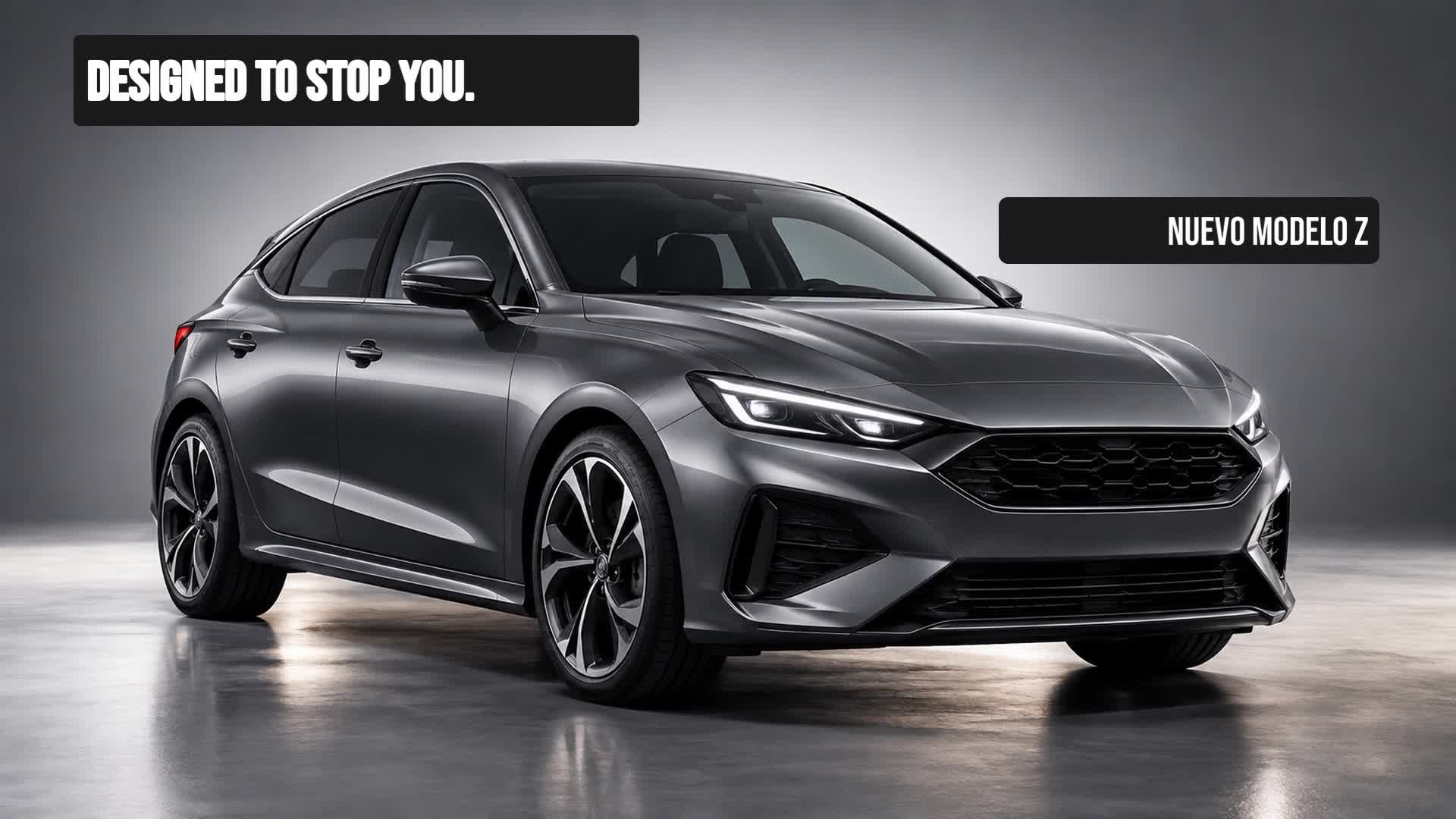
1. Featured vehicle. Dedicate a screen to a hero model: impactful image, key features and a clear visual call. You don't need to show the entire catalogue; one well-presented model generates more interest than an endless list.
2. Commercial offer or financing. Communicate specific conditions (for example, monthly payment, interest rate or term) with visual hierarchy: the main figure should be seen in seconds. Avoid filling the screen with small print; prioritise a clear message and a next action.
3. Model or trim comparison. Help the customer decide by showing differences between engines, finishes or equipment. A visual comparison table can be more useful than a printed brochure.
4. Accessories and extras. Present add-ons that enhance the vehicle: wheels, sound systems, driver assistance systems, etc. They are additional sales opportunities that often go unnoticed if not shown.
5. Used vehicles. Give visibility to available units, with real photos, price and key data. This speeds up turnover and meets a frequent demand.
Digital signage in workshop, after-sales and waiting area
The workshop and waiting area also communicate. Here the customer is not in buying mode, but in service mode. The content should be useful and reassuring.
6. Workshop services. Inform about maintenance, inspections, tyres, air conditioning, etc. A screen at reception can remind the customer of the available services and their recommended frequency.
7. Waiting area. Provide useful information: repair status, estimated time, café promotions, dealership news or industry news. The goal is to make the wait more pleasant and perceived as shorter.
8. CTA and next step. Facilitate conversion: test drive, request for information, QR code to download a brochure or simply invite them to speak with an advisor. Each screen should end with a clear action.
Example visual campaign for showroom
Don't show the same thing all day long
Digital signage content is not static. A campaign that works in the morning may not be relevant in the afternoon. Scheduling allows you to adapt what is shown on each screen according to the time, day or location. For example:
- During peak hours, prioritise offers and featured vehicles. - During waiting times (workshop, reception), show more informative or entertaining content. - During seasonal campaigns, change the creatives without needing to travel to each screen.
With a system of playlists and calendars, you can organise the content so that each screen has its own script. In addition, remote updates avoid having to physically go to each device.
Manage your screen content from iMediaGO
To put this strategy into practice, you need a platform that allows you to create, organise, schedule and publish content on all the dealership's screens. iMediaGO is designed for this: from a central panel you can manage campaigns, assign them to specific screens and update them in real time. This way, the showroom, workshop and waiting area always keep fresh and relevant content, without additional effort.
Discover how iMediaGO can help you
Want to take your dealership's digital signage to the next level? Find out how iMediaGO can help you create, schedule and manage the content on your screens.