Restaurants
How to Create a Content Calendar for Your Restaurant Screens
Plan a month of restaurant screen content without redesigning everything each week. Use this practical four-week calendar to decide what stays, what changes and when each message needs reviewing.





Why your restaurant screens need a monthly content plan
Even a strong screen message loses value when nobody decides when to refresh it. The issue is often not the design but the absence of a shared plan linking content to the restaurant’s priorities throughout the month.
A monthly editorial calendar makes those choices visible: which information remains useful, which messages return at regular intervals and which belong to a limited period. It also makes reviews easier to assign before details become outdated.
Sort your content into three groups
Evergreen content
Information that stays useful for several weeks. Check it when facts change; do not replace it simply to fill an empty calendar slot.
Recurring content
Messages that matter at predictable moments, such as a weekday lunch menu. Note when they apply and who checks that they are still accurate.
One-off content
News or priorities linked to a particular date or period. Decide when they enter the plan and when they should be reviewed or removed.
Build your monthly plan in four steps
Choose the month’s focus
Decide what the restaurant most needs to communicate, whether that is a new dish, a recurring lunch offer or a seasonal choice.
Audit what you already have
Separate useful existing messages from those needing updates. A new month does not automatically require four new designs.
Set a weekly priority
Give each of four weeks one main editorial focus while keeping the information customers still need.
Add review dates and owners
For messages that change, record when they start, when they need reviewing and when they should be removed. Give each review a clear owner so the calendar becomes a working plan.

A four-week screen content calendar for CASA OLIVA
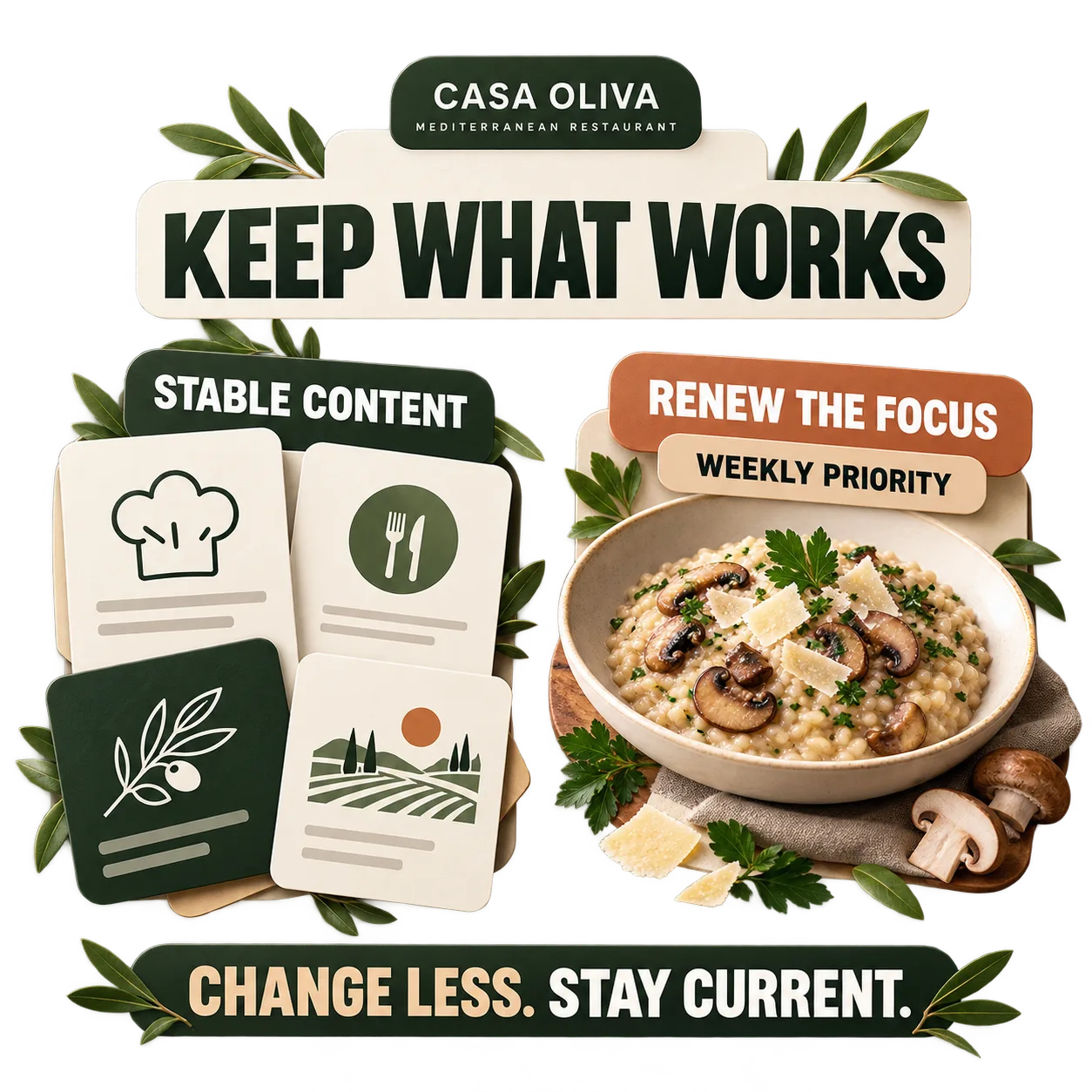
At the fictional CASA OLIVA restaurant, core information stays in place while one editorial priority changes each week. Week 1 highlights mushroom and Parmesan risotto. Week 2 focuses on the lunch menu. Week 3 introduces pumpkin soup as a seasonal special. Week 4 features apple tart with coffee.
The team does not need to replace every screen each week. Instead, each week brings one new priority alongside information that remains useful. Before changing the focus, the team checks whether the previous message is still accurate, should stay visible or needs removing.
This example shows when a dish takes centre stage. The separate guide to highlighting a single product covers how to present it visually.
Match your messages to the time of day
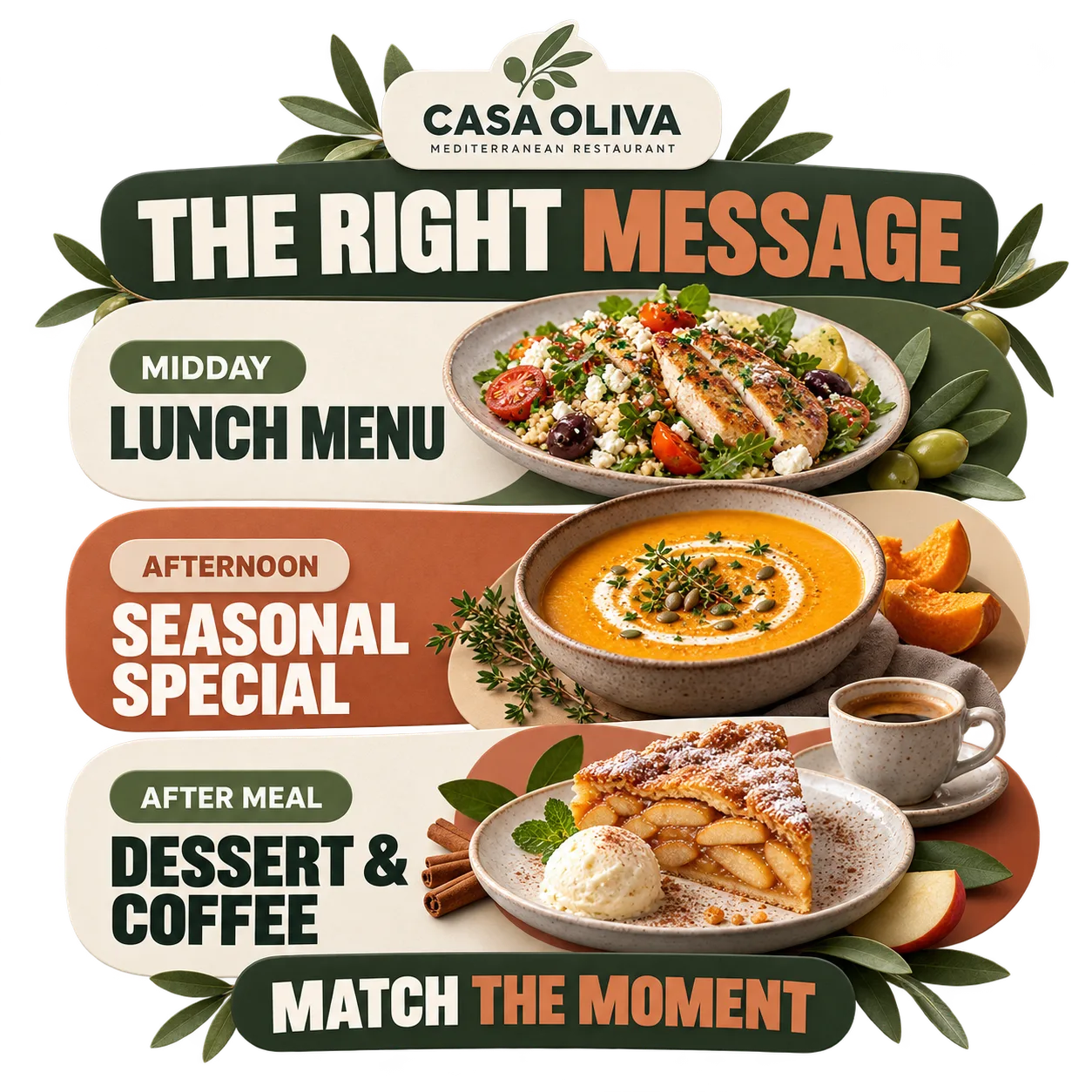
A monthly calendar can also indicate when a message is most relevant. Ahead of lunch service, the lunch menu may deserve greater emphasis; later, a seasonal choice or after-meal recommendation may fit the moment better.
You do not need a separate calendar for every screen. Add a suggested daypart to the plan and check it against what the restaurant actually serves. This is an editorial choice, not a tutorial on scheduling software.
Give every changing message a review point
Start date
Record when the message becomes relevant, even if its creative work was completed earlier.
Review date
Set a date to check details that may change, including availability, prices, menu information and the restaurant’s current priorities.
Keep, revise or remove
At the end of its planned period, decide whether the message is still correct, needs an update or should leave the calendar. This is broader than the rules for a time-limited offer.
Refresh the focus, not the entire screen
A useful content calendar does not require constant redesign. Keep accurate evergreen information in place and focus each week’s effort on what has actually changed.
At the end of the month, identify which messages can stay, which should return and which are no longer relevant. Use that review as the starting point for next month’s calendar.
Your monthly calendar in five decisions
Monthly goal
What communication priority should guide the month?
Evergreen base
Which accurate messages can remain visible?
Four weekly focuses
Which dish, menu or message should take priority each week?
Dayparts and dates
When does each message make sense, and when should it be checked?
Final review
What stays, changes or comes down before the next cycle?
If you still need ideas for the content itself, start with what to show on restaurant screens, then use this calendar to decide when each message belongs.
Week one features the risotto. For the visual treatment of that dish, see how to highlight a product on restaurant screens without turning your monthly plan into a promotion-design guide.
Editorial review dates apply to many messages. A promotion with a fixed deadline needs additional care; see time-limited offers on restaurant screens for that specific topic.
If the lunch menu itself needs a clearer layout, explore how to design an easy-to-read digital restaurant menu as a separate design task.
If you have not launched your first screen yet, start with the restaurant digital signage getting-started guide before building a monthly content routine.
For a specific seasonal campaign, explore September marketing ideas for restaurants and apply the calendar method to the dates that matter.
Once your editorial plan is clear, explore iMediaGO digital signage for restaurants to take the next step beyond content planning.
Restaurant screen content calendar FAQs
Turn your monthly plan into consistent communication
You know what to keep, what to feature each week and when to check your messages. Discover iMediaGO’s restaurant solution for the next step.
Latest articles
Where to Place Digital Signage Screens in a Leisure Centre
Digital Signage for Auto Repair Shops: What to Show at Reception, in Waiting Areas and at Vehicle Collection

Digital signage in education: clear communication for students and visitors
What to Show on Restaurant Screens: 4 Practical Ideas
How to Design an Easy-to-Read Digital Restaurant Menu
Sunday Family Menu: How to Present an Offer Worth Sharing